Free GA4 Looker Studio template (with AI referral traffic)
A five-page GA4 report for Looker Studio (now Data Studio). It turns the GA4 reports most teams check every week into one shareable dashboard, and adds a table for traffic from AI assistants such as ChatGPT, Perplexity, Gemini, Claude and Copilot.
Data source: Google Analytics 4 (Google’s native connector — free)
Open live demo Open template (then Make a copy)
Demo uses Google sample / demo-account data. After opening, use ⋮ → Make a copy to connect your own account.
What’s in the report
Page 1: Overview
Headline scorecards compared with the previous period, plus sessions and key events over time.
Fields: Active users, New users, Sessions, Engaged sessions, Engagement rate, Average engagement time per session, Key events, Total revenue
Page 2: Acquisition
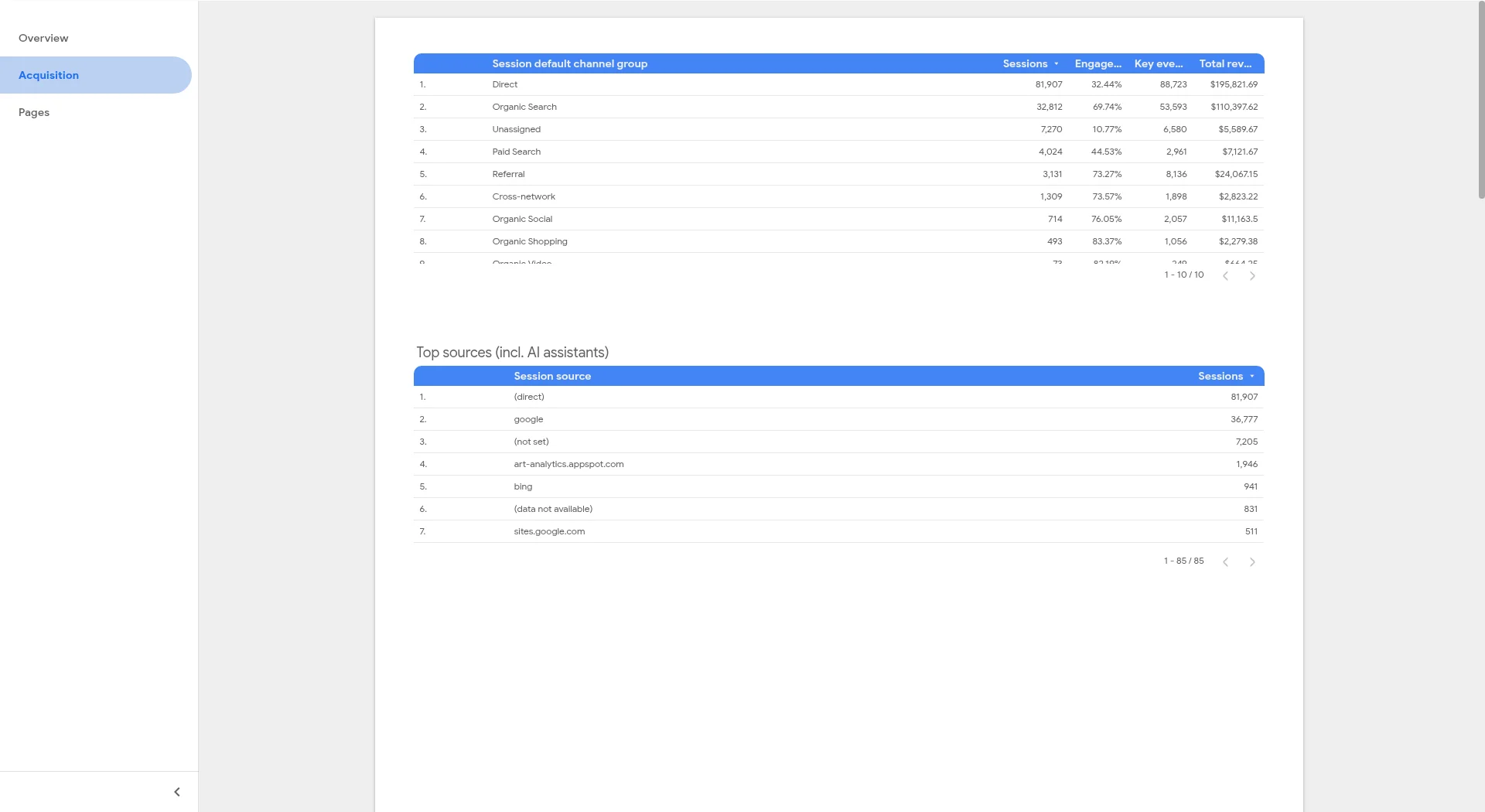
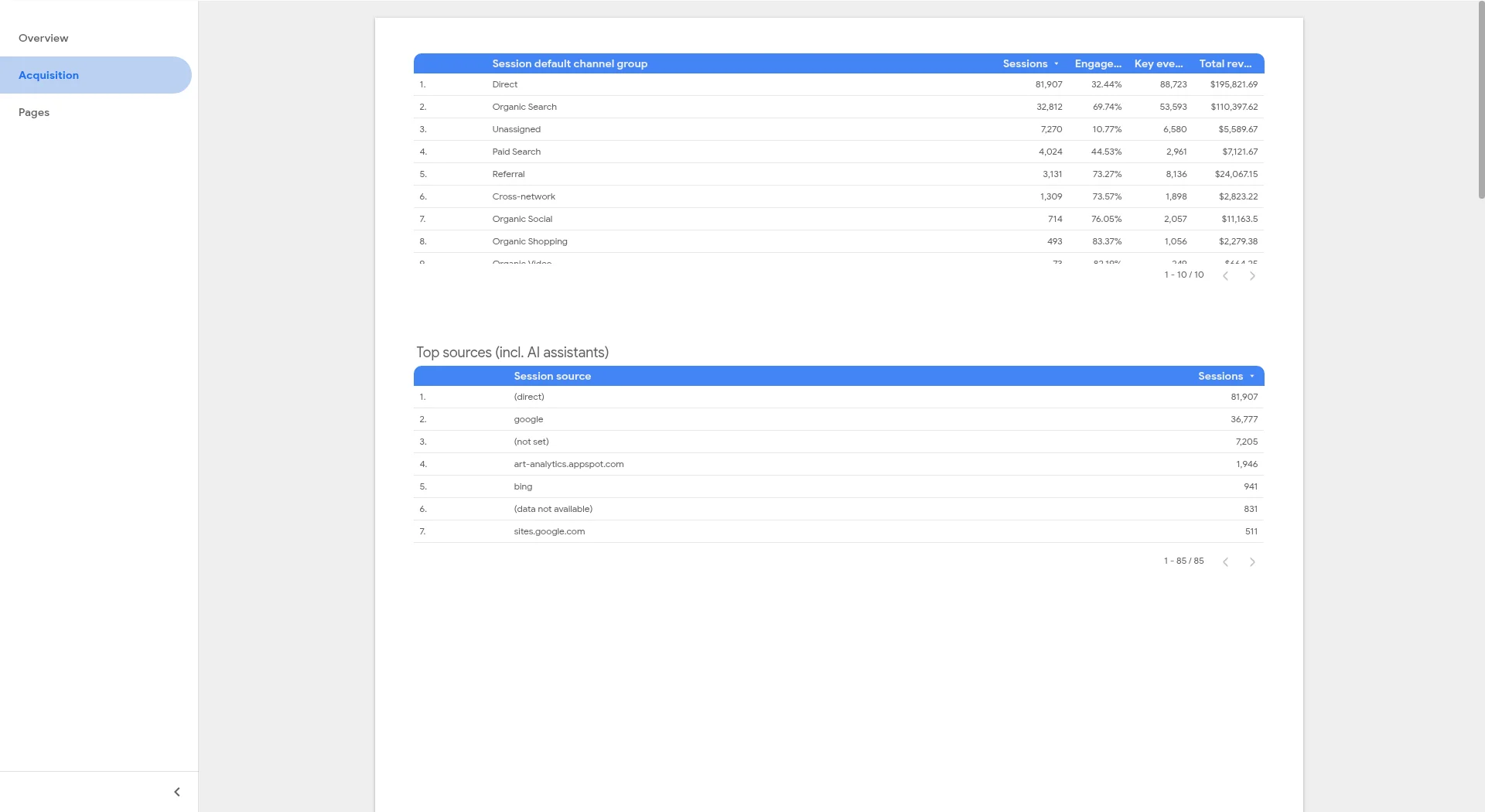
Channels and source / medium, plus an AI-assistant referral table that matches the session source against a regular expression.
Fields: Session default channel group, Session source / medium, Session source, Sessions, Engagement rate, Key events, Session key event rate
Page 3: Pages
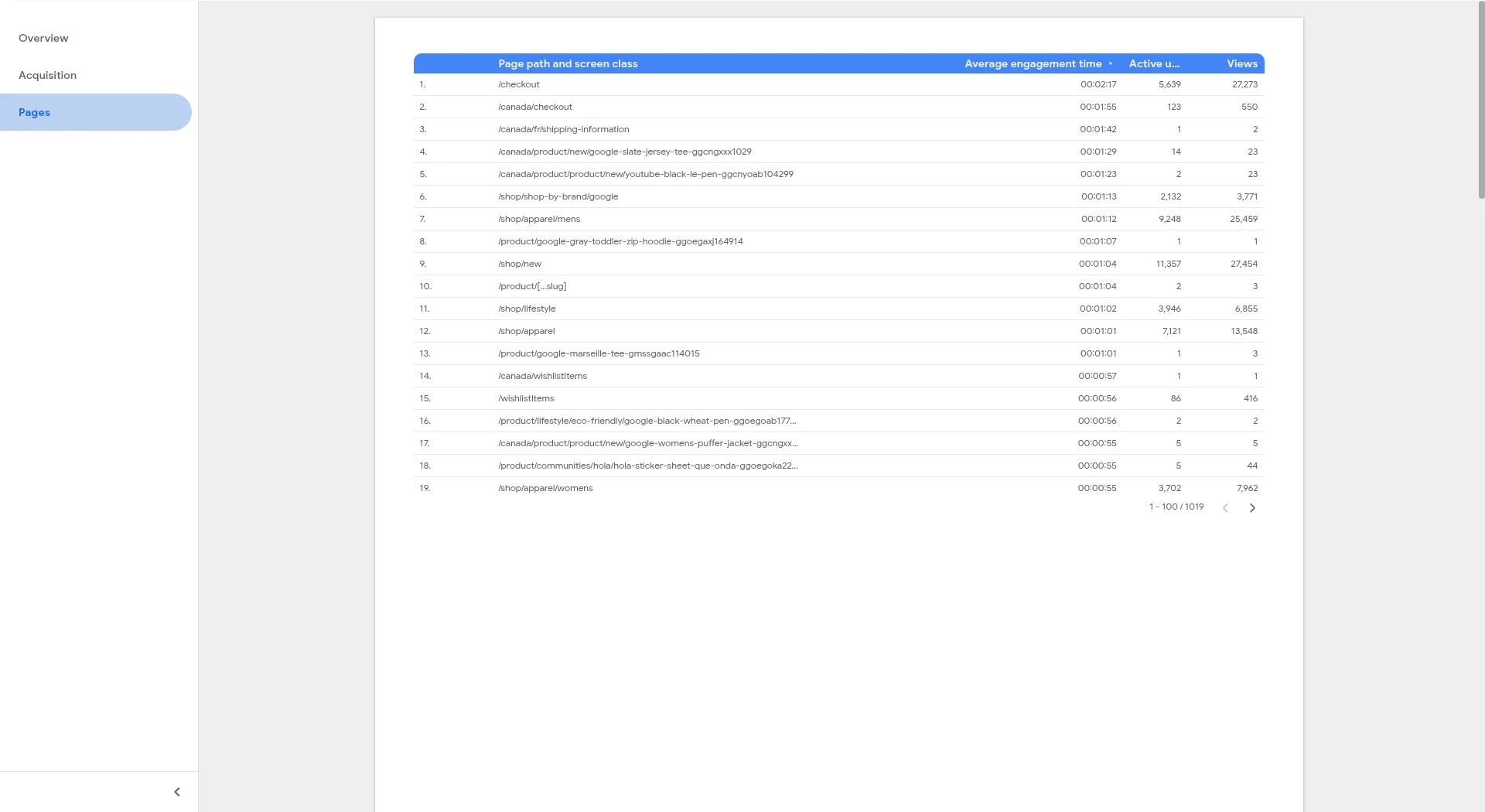
Top pages and top landing pages, so you can see what people read and where they arrive.
Fields: Page path and screen class, Landing page + query string, Views, Active users, Average engagement time, Sessions, Key events
Page 4: Events
Event counts and key events in one table and chart.
Fields: Event name, Event count, Key events
Page 5: Audience
Country map, device split, and new vs established users.
Fields: Country, Device category, New / established
Filters
Date range (default: last 28 days vs previous period), property (data control), session default channel group, device category, country
How to set it up (about 5 minutes)
- Open the live demo. It shows sample data.
- Use the property selector (data control) to switch to a GA4 property where you have at least Viewer (Read & Analyze) access. The report reloads with your data.
- Click ⋮ → Make a copy and choose a Google Analytics data source for your property.
- Edit the AI-referral regex on the Acquisition page if you want to add or remove assistants, then share the report.
Need many accounts or white-label client reports?
The multi-client pack adds a roll-up across accounts, properties or sites, plus one white-label page per client. It costs $39 once, with a 14-day refund and no connector subscription.
FAQ
Is this GA4 Looker Studio template free?
Yes. It uses Google’s native Google Analytics connector, which is free.
How does the AI traffic table work?
It filters Session source with a case-insensitive regular expression (chatgpt|perplexity|gemini|claude|copilot by default). This only catches visits where the assistant passes a referrer or a utm_source tag. Visits from apps that send no referrer show up as Direct, so treat the number as a minimum.
I get a “quota exceeded” error. What now?
Reports on GA4 data use Google Analytics Data API quotas. Use fewer charts per page, avoid very long date ranges while editing, or switch to an extracted data source. You can check usage in edit mode: right-click a chart → Google Analytics token usage.
Why are the numbers different from GA4 Explorations?
Google’s documentation says the connector matches GA4 standard reports, not Explorations. Thresholding and sampling can also change small numbers.
Can I combine several GA4 properties?
The free template shows one property at a time. The paid multi-client pack adds a roll-up comparison page and white-label client pages.
Get the template link by email
Placeholder form (mailto to [email protected]). Set FORM_EMBED_URL in src/config.js before launch.